
Live Streaming Best Practices for Conferences
Live event streaming turns a conference into a front-row seat for anyone, anywhere. It expands your reach, builds community, and extends your content’s shelf life through on-demand replay. Apply the right live stream best practices to make your speakers look polished, keep your viewers engaged, and lower your production team’s stress level.
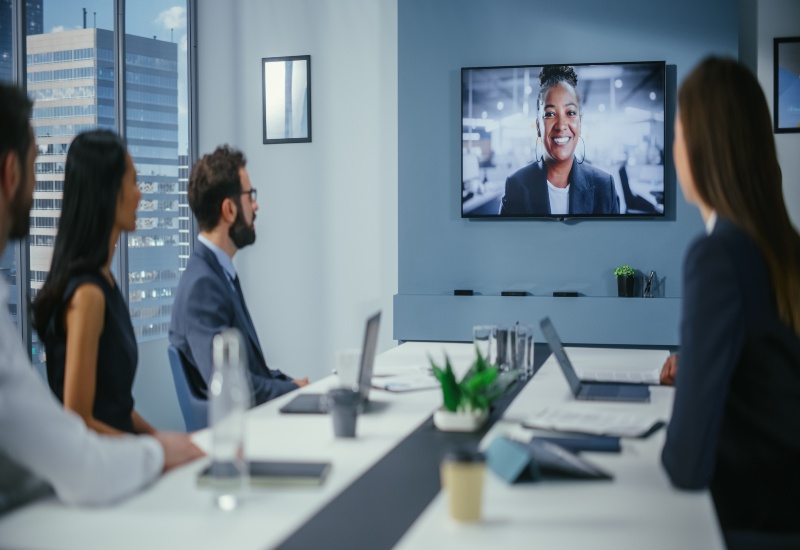
Pre-Production Best Practices for Live Streaming Events
Plan ahead so your live stream runs smoothly once the cameras roll. Pre-production is when your goals, on-screen talent, and tech team sync up. A few simple steps can make the difference between “that could’ve gone better” and “that was flawless.” Here’s what to do:
- Know what success looks like: Before planning begins, decide what you want out of the stream. Maybe it’s a certain number of live viewers, a particular degree of engagement, or plenty of on-demand replays that drive leads. Clear goals help shape everything that follows.
- Pick a platform: Not every platform works for every audience. Some have strong chat tools, others simplify analytics. Choose one that fits your event and feels simple for viewers to use.
- Write a detailed run of show: Create a clear schedule that lists speakers, transitions, media cues, and breaks.
- Hold a rehearsal: Walk through the entire show from start to finish. Test every mic, slide, and transition. A smooth rehearsal builds confidence and uncovers problems when there’s still time to fix them.
- Assign roles: Everyone should know what they’re responsible for come showtime. Clear roles reduce confusion when things get busy.
- Promote early: Build anticipation with teaser clips, session highlights, and reminders. The earlier people know about your live stream, the more likely they’ll tune in.
Best Practices for Building Live Stream Engagement
A live stream is your chance to have a conversation, not just a broadcast. Here’s how to help your virtual audience feel like they’re right there in the room:
- Set the tone: Tell viewers how to get involved at the top of the stream. Let them know where to post questions and when the Q&A will begin.
- Interact: Build in small engagement moments every few minutes. Quick polls, surveys, and chat prompts maintain a high energy level and remind people they’re part of the event.
- Use a moderator: Have someone watch the chat, share updates, and filter questions. This keeps things organized and personalizes the experience for online attendees.
- Cater to short attention spans: Trim your introductions, mix up your presentation styles, and use visuals to move things along.
- End with purpose: Don’t just let the stream fade out—encourage viewers to visit a resource page, take a survey, or sign up for next year’s event before they log off.
Encoding, Equipment, and Bandwidth Best Practices
Even the best content can fall flat if the stream freezes or the audio cuts out. You don’t need to be an engineer to follow these live streaming best practices:
- Focus on reliability: Fancy gear is great, but what matters most is that everything works. Use equipment you trust to run smoothly.
- Opt for a wired connection: Wi-Fi might be convenient, but it’s not worth the risk. Have a backup connection ready if the main one fails.
- Prioritize good audio: Use quality microphones and minimize background noise.
- Match your stream to your network: There’s no need to stream in 4K if your internet can’t handle it. A crisp 1080p stream still looks great and reduces annoying buffering.
- Record everything: Capturing both a clean program feed and isolated camera angles simplifies editing highlight reels or on-demand videos later.
- Coordinate with your venue team: Ensure everyone knows what’s being filmed, where cables run, and when testing will take place.
Make Your Next Stream the One Everyone Talks About
Spectrum Audio Visual has spent more than 35 years helping our clients bring their events to life, both on stage and online. Our Denver-based team works nationwide, pairing advanced audio visual technology with people who genuinely care about your show’s success. From staging and production to integration, translation, and live streaming, we handle every detail to deliver those flawless results you’re looking for. Contact us today for help implementing the best practices for live streaming events.
Frequently Asked Questions
How early should I start planning my live stream?
We recommend planning at least six to eight weeks in advance. This gives you enough time to confirm equipment rentals, test connections, and prepare your speakers.
What’s the best length for conference sessions online?
Aim for 20 to 30 minutes for most sessions. Shorter talks keep people watching and make it easier to slot in polls or Q&A segments.
How can I keep virtual attendees from tuning out?
Mix up your format. Show a live presentation here, a short video there, and interactive moments woven throughout. Viewers stay engaged when the content feels fresh and participatory.