
The Ultimate Guide to Creating a Consistent Hybrid Meeting Room Experience
Understanding the Modern Hybrid Meeting Room
A well-designed hybrid meeting room helps in-office and remote participants communicate clearly and contribute equally. Spectrum Audio Visual helps Denver, CO organizations select and support dependable AV systems for meetings of all sizes. The right room design combines clear audio, sharp video, and reliable connections to create a productive experience.
Common Challenges in Hybrid Meetings
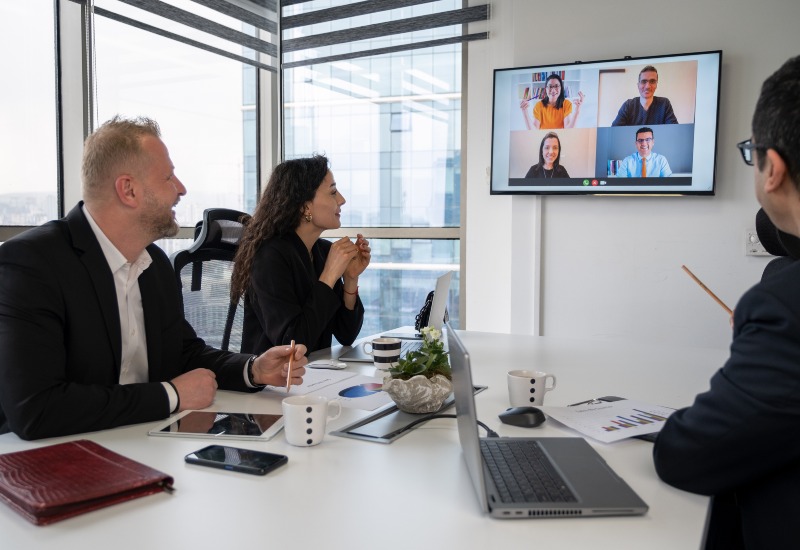
Hybrid meetings can lose momentum when remote attendees struggle to hear speakers or see shared content. Furthermore, poor camera angles, room echo, and complex controls can distract teams. Reliable hybrid meeting room technology helps create a smoother format, giving every participant better access to the discussion.
Essential Hybrid Meeting Room Technology
Successful hybrid meetings depend on equipment that works together and fits the room’s size, layout, and meeting goals. When even one component underperforms, the entire meeting can suffer. Consider upgrading your setup with equipment such as:
- Cameras – PTZ cameras and wide-angle cameras capture speakers, whiteboards, and group discussions. Auto-framing features can keep active participants in view.
- Microphones – Ceiling, tabletop, and wireless microphones help remote attendees hear conversations clearly. Proper microphone placement also reduces unwanted room noise.
- Speakers – Quality speakers distribute sound across the room without harsh volume changes. They help in-person teams hear remote speakers more clearly.
- Displays – Large displays make video calls, shared files, and presentation content easier to view. Dual-screen layouts can display remote attendees and shared material simultaneously.
- Control Systems – Touch panels and simple control interfaces help users start meetings quickly. Centralized controls can manage audio, video, lighting, and content sharing.
Building an Effective Hybrid Meeting Room Setup
Your setup should support the number of participants, room shape, and common meeting formats. Position cameras at eye level and place microphones where voices can be picked up evenly. Keep displays visible from every seat and provide accessible power and connection points. As a result, teams can focus on the meeting and not on the equipment.
Best Practices for Improving the Hybrid Meeting Experience
Meeting room technology works best when employees can use it with confidence. Clear procedures and routine testing help teams keep meetings organized and inclusive:
- Test Before Meetings – Check audio, video, content sharing, and platform connections before important calls. Early testing gives teams time to address issues.
- Set Clear Meeting Norms – Encourage speakers to face microphones and cameras when talking. Invite remote participants to share input throughout the discussion.
- Use Consistent Room Controls – Standardize controls across meeting spaces when possible. Familiar interfaces reduce setup time for employees and guests.
- Train Employees – Provide simple instructions for launching calls and sharing content. Short training sessions can help staff use hybrid meeting room solutions correctly.
Future-Proofing Your Hybrid Meeting Rooms
Technology needs can change as teams grow and software platforms update. Going from one meeting room to multiple can strain a team’s existing resources. Instead, focusing on scalable systems gives businesses the flexibility they need to expand. Be sure to keep these considerations in mind:
- Choose Expandable Systems – We’ve seen organizations outgrow a single USB camera much faster than expected once hybrid attendance becomes standard. Selecting a platform that supports additional cameras and microphones can prevent the need for a costly replacement down the road.
- Plan for Platform Compatibility – Use AV systems that work with the conferencing platforms your team uses. Regular software updates support reliable performance.
- Schedule Preventive Maintenance – Routine inspections can help identify worn cables, outdated components, and potential performance issues.
- Work With AV Professionals – Experienced technicians can recommend equipment based on the needs of your business and the specifics of your meeting room. Professional AV support also simplifies overall integration and any troubleshooting you may need down the line.
Creating a Seamless Hybrid Workplace
A consistent hybrid meeting experience starts with practical planning, quality equipment, and professional AV support. Spectrum Audio Visual brings more than 35 years of experience in equipment sales, maintenance, and installation for clients nationwide. Contact Spectrum Audio Visual today to plan a hybrid meeting room that supports your team and your business.
Frequently Asked Questions
What Should Businesses Look for When Choosing Equipment?
Businesses should choose equipment based on room size, participant count, meeting platforms, and content-sharing needs. Look for clear audio pickup, suitable camera coverage, easy controls, and scalable components. Professional AV solutions and system design help ensure each piece of equipment works together effectively.
How Can Businesses Improve Audio Quality for Meetings?
Use microphones designed for the room’s layout, position speakers correctly, and reduce hard surfaces that create echo. Audio testing before meetings can catch issues early. AV professionals can also calibrate microphones, speakers, and digital signal processing to improve clarity.
What Are the Signs a Company Should Upgrade Its Technology?
Frequent meeting delays and inconsistent communication can indicate that equipment needs attention, as well as these signs:
- Unclear Audio – Remote attendees often ask people to repeat themselves. Voices may sound distant, uneven, or interrupted.
- Poor Video Coverage – Cameras fail to show speakers, whiteboards, or important visual details. Limited camera angles can leave remote attendees out of the conversation.
- Outdated Compatibility – Existing equipment struggles to work with current conferencing platforms or devices. Updated systems can support modern workplace needs.
When Should a Business Consider Upgrading Its Meeting Room?
Consider an upgrade when meetings regularly experience audio, video, connection, or usability concerns. Businesses should also review their systems when office layouts change, teams grow, or conference needs expand. A professional AV consultation can help prioritize upgrades that best support your operations.